
TABLE OF CONTENTS
- Summary
- Safely and quickly share documents via the Secure Web Form
- Case progress - track it in the Activity Log
- Use the Notes Tab to speed up cases
- Accessing support - fastest to slowest options
Summary
In this article we have some recommendations to help you get the most out of the OutSource service, reduce delays, and speed up your case completion times. This article will be kept up to update with additional recommendations for new features or processes.
Safely and quickly share documents via the Secure Web Form
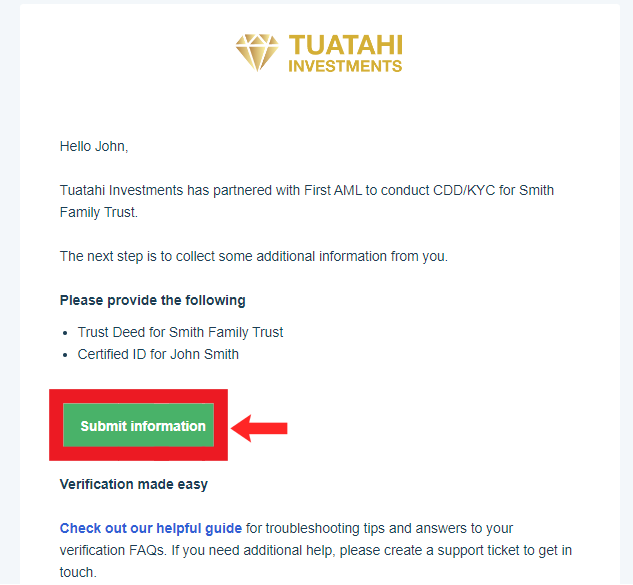
Using the First AML Secure Web Form link to submit documents is the quickest and safest way to share your customer’s sensitive data.
You can find the secure web form link in the ‘Request for Compliance Information’ email sent to your end users, see image below:
Refresh your knowledge with our handy Help Centre article: How to securely upload documents
Case progress - track it in the Activity Log
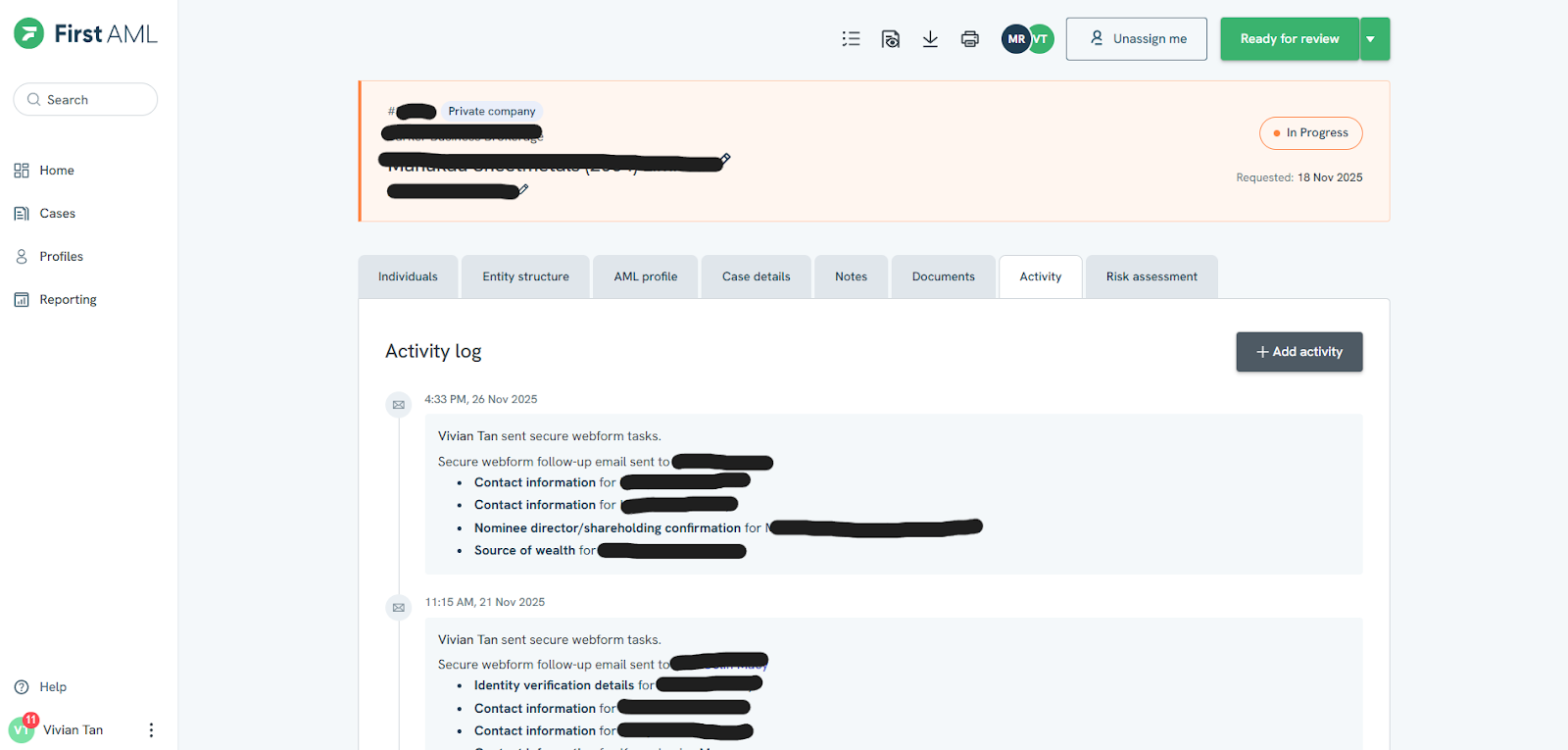
The quickest way to get a case update is via the Activity Tab within each case on the First AML Platform.
Here, you’ll see:
- the latest updates
- Progress status for every case
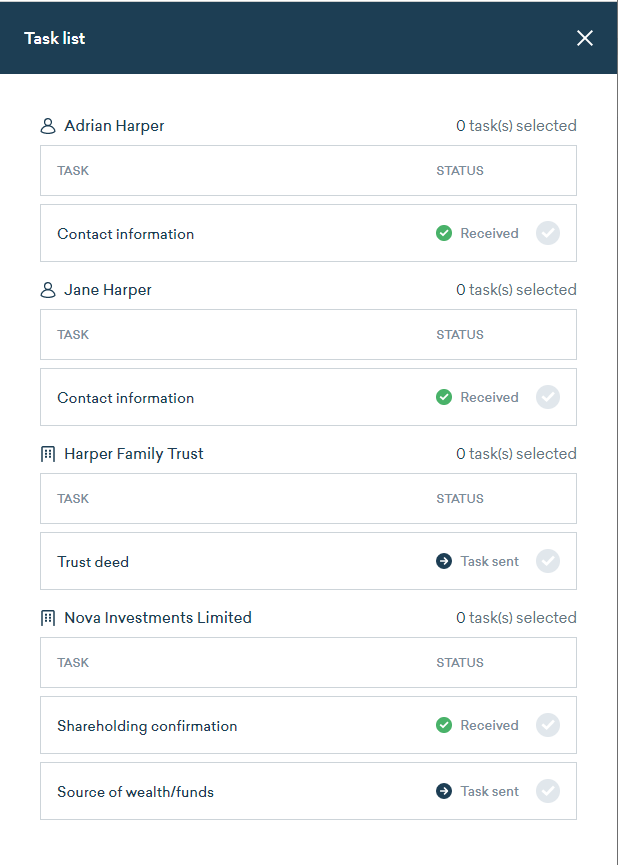
Check the Task List to see what information has been received from your customer and what is still outstanding. The Task List can be found on the top toolbar of icons within a case.
Refresh your knowledge with our handy Help Centre article: Tracking your case progress
Use the Notes Tab to speed up cases
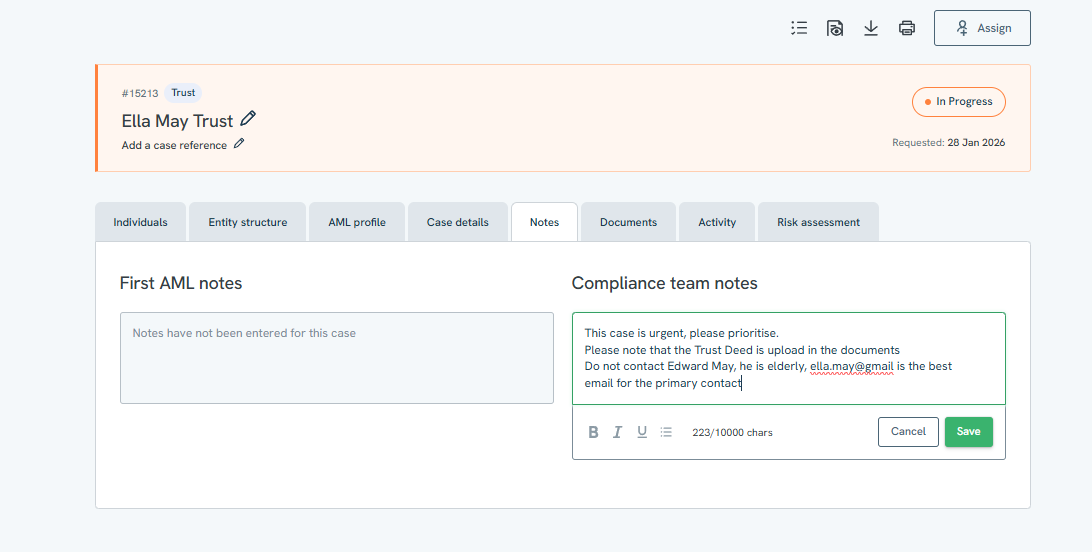
The Notes Tab is the quickest way for you to give our AML Specialists clear, case-specific instructions. Add details like,
- “This case is urgent, please prioritise”
- “Client is a trust, Trust Deed has been uploaded”
- “Please only contact [Name A], please do not contact [Name B]”
- “Client has previously been verified. Please use details from Case #”
- Any changes to the case or the end-users circumstances
When you add a note, our team is notified, giving them the ability to prioritise and act more quickly.
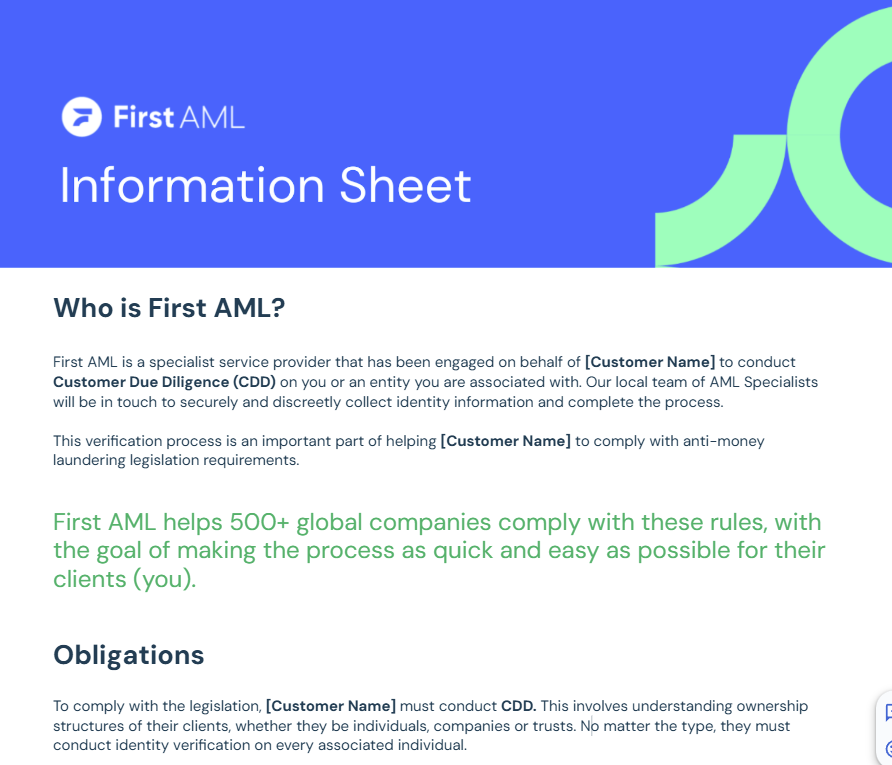
 Share the First AML information Sheet with your clients
Our comprehensive information sheet helps end-users understand the AML process and submit the right documents first time around.
Request your company-branded one-pager from your Customer Success Manager, or download and personalise from our Resource Hub: Resources for your end-users
| Customer Tier | Email Tickets p/m | Phone Tickets p/m |
| Transform | 20 | 10 |
| Optimise | 10 | 5 |
| Launch | 5 | 0 |
Accessing support - fastest to slowest options
Chat to Frankie, our digital support agent (fastest)
Frankie answers common questions, guides you through key issues and points you towards the right resources. Frankie is available anytime in the Help Centre.- Browse the Help Centre
Our library of articles, videos and walkthroughs gives you instant answers and real time learning. Most questions are resolved here in minutes. - Submit a ticket
If your query needs a specialist to review, raise a ticket via the Help Centre or email support@firstaml.com.
If you can’t find what you need, our Support team is here to help. Your available channels depend on your customer tier:
If you’re not sure what Customer Tier you are on, or you need to increase your monthly ticket allowance, please contact customersuccess@firstaml.com